Your show, under your fingers
VDJ Controller turns an iPad, iPhone or Android device into a MIDI control surface for the visuals, decks and slides you already run. Pads, faders and knobs, laid out like hardware.
7 days free, then $14.99 once. No subscription, no account.
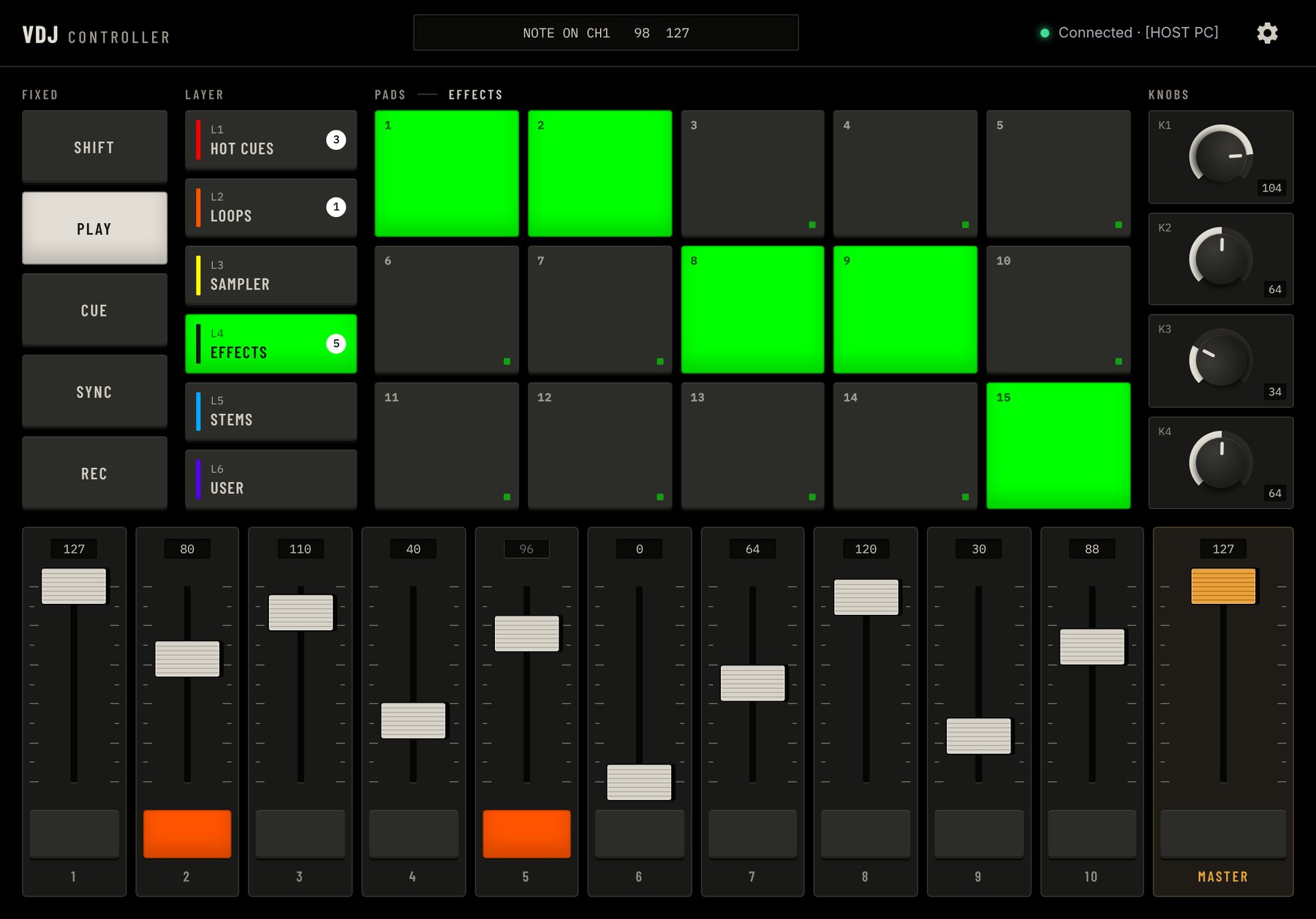
Everything a small controller has, and more of it
Built around the shape of a compact pad-and-fader controller, without the hardware in your bag.
-
90 PADS
Six layers of pads
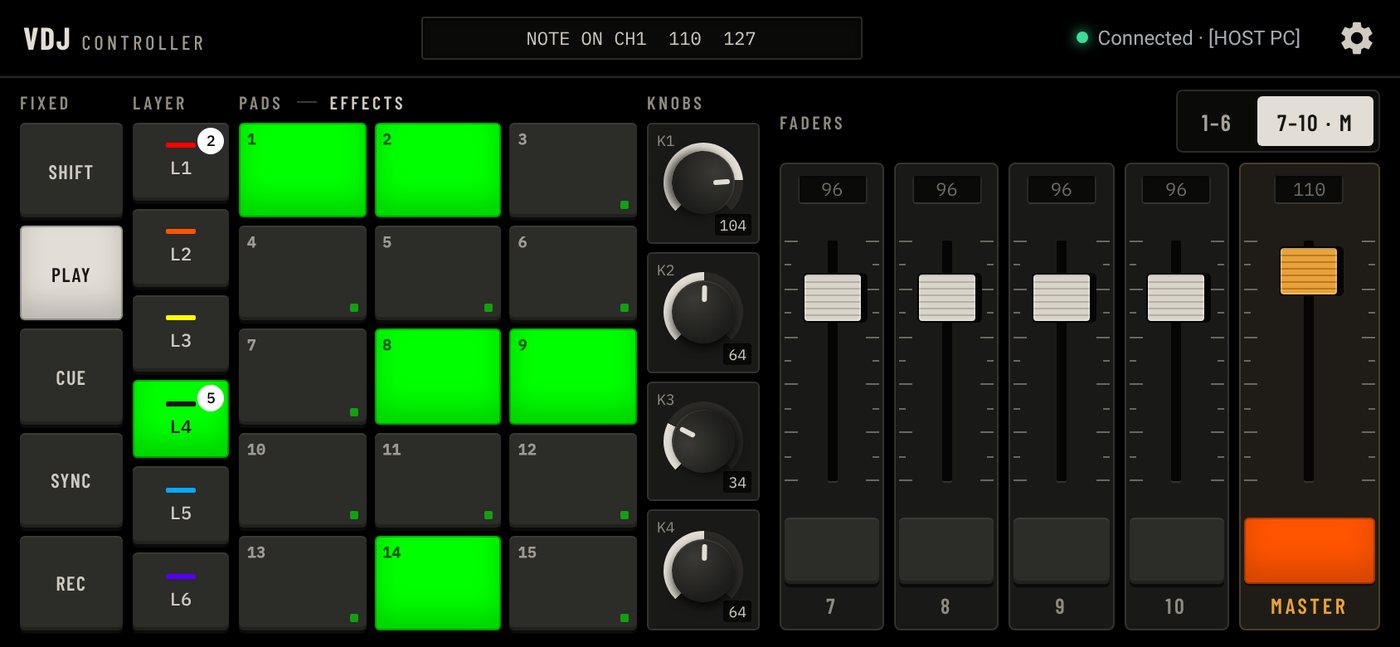
A 5 × 3 grid on each of six switchable layers, plus five fixed pads that never move: shift, play, cue, sync, rec.
-
11 FADERS
Ten channels and a master
Long-throw faders with tick marks and a live value, each with its own button underneath.
-
24 KNOBS
Four knobs per layer
Drag to turn, double-tap to centre. Each layer remembers its own four positions.
-
LED
Lights that answer back
Pads light from the MIDI your software sends back, so the surface shows what is really playing.
-
PROFILES
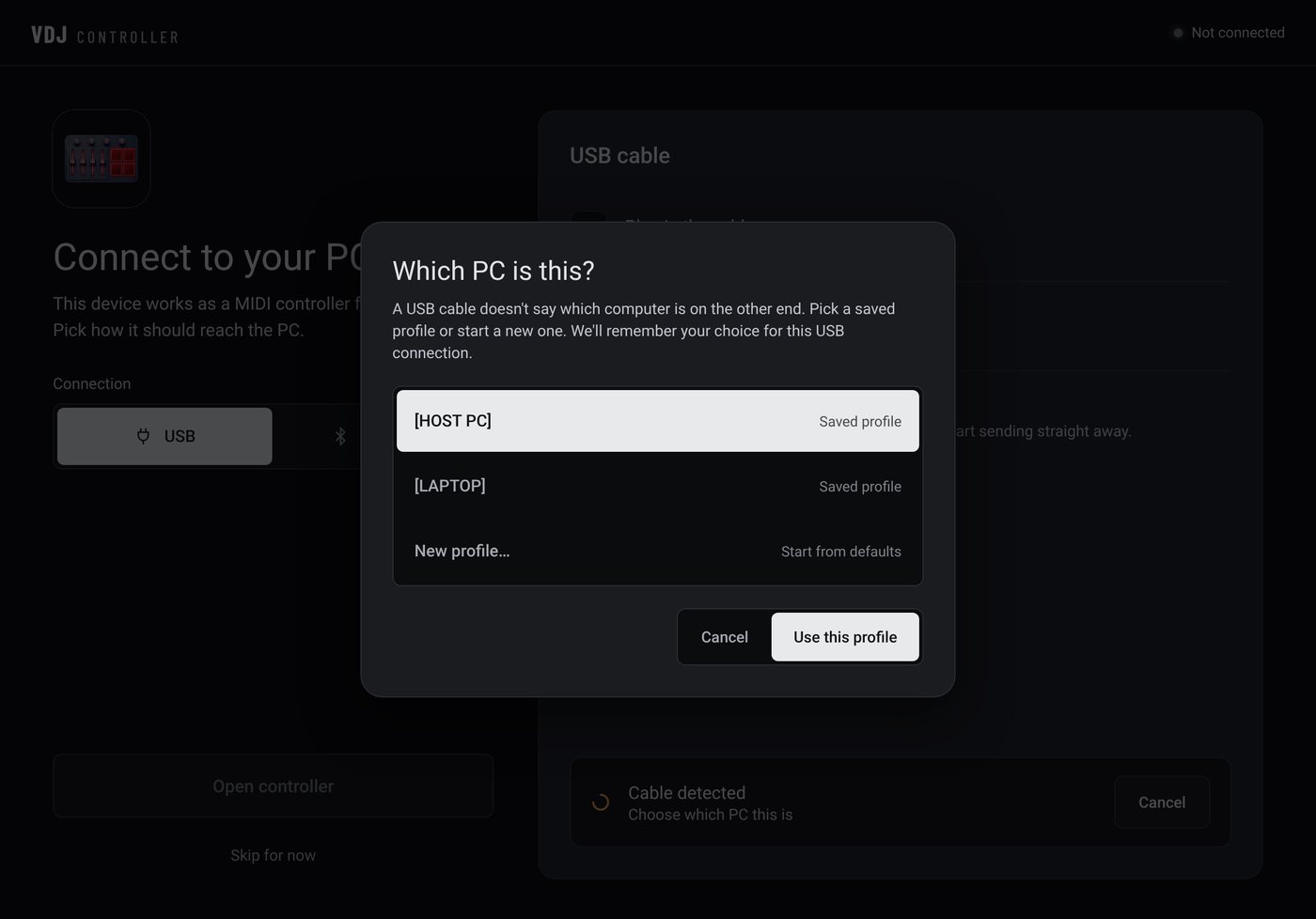
Remembers every computer
Names, colours, numbering and fader positions come back as soon as a known computer connects.
-
MIDI
Plain, editable MIDI
Notes and control changes on the channel you choose. Change the first note and first CC to fit an existing mapping.
Make it read like your show
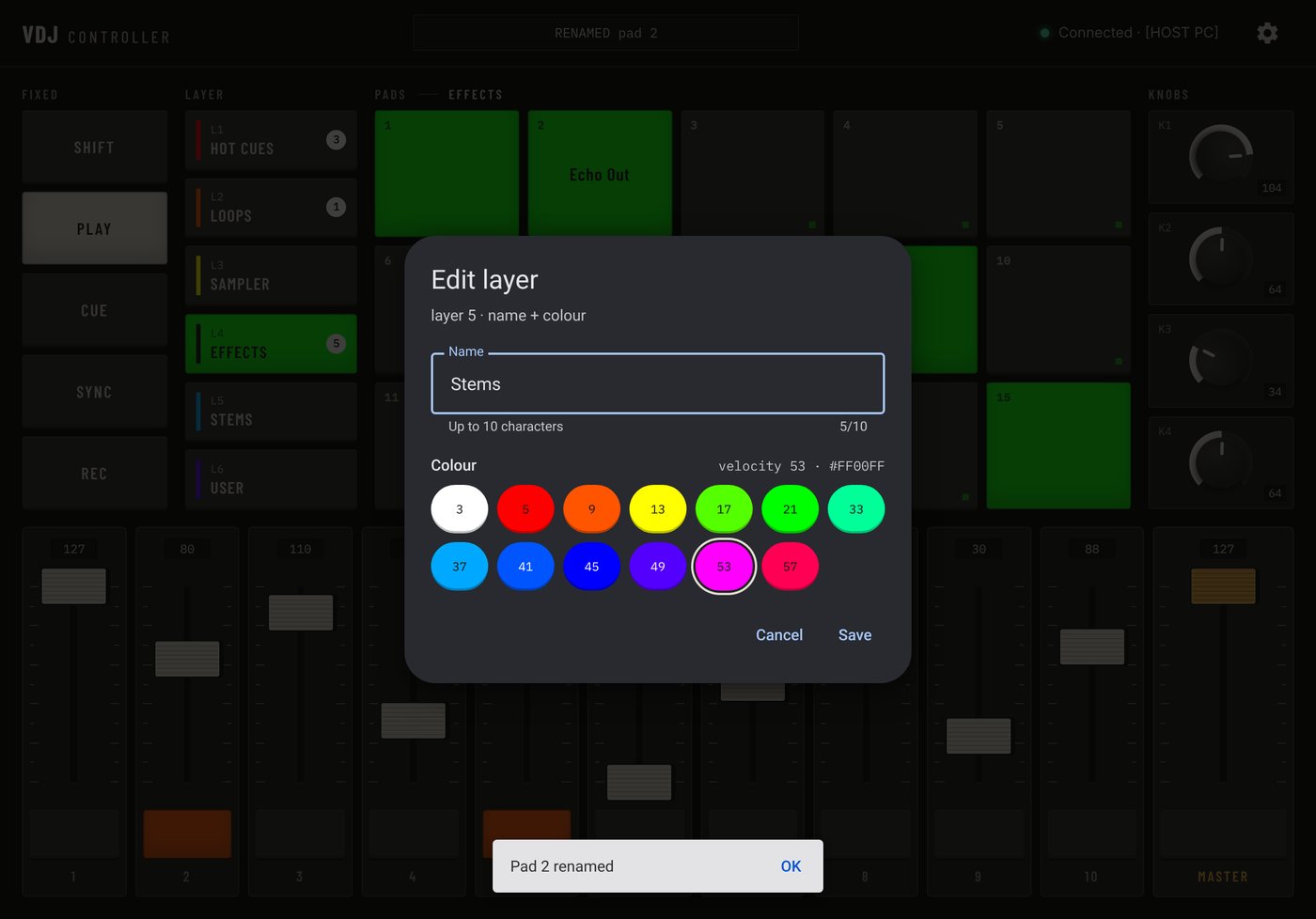
Hold any pad to rename it. Give each layer its own colour, so you can find the right bank at a glance in a dark room. A small badge shows how many pads are lit on layers you can't see.
Every computer you connect to gets its own profile: names, colours, MIDI numbering and the last fader positions. Plug into another machine and nothing bleeds across.
Fits the device in your hand
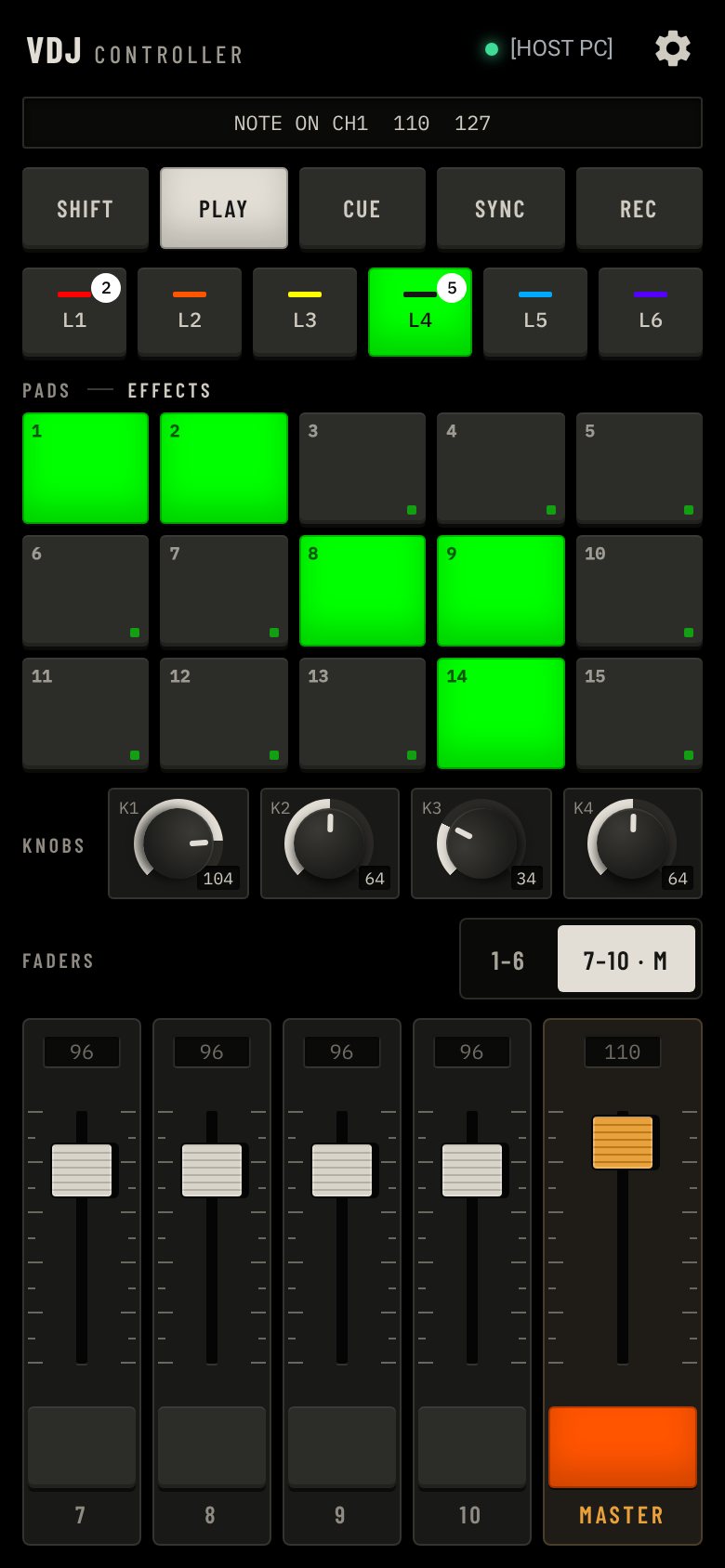
Turn it either way. Tablets keep every control on one screen. Phones split the faders into two banks you flip between, and nothing you've set is lost when you rotate.
Three ways to connect
Step-by-step setup guide →-
Android phone or tablet
- USB CABLE
- Windows and Mac
- BLUETOOTH
- Mac
- WI-FI
- Mac, or Windows with an RTP-MIDI driver
-
iPhone or iPad
- USB CABLE
- Mac only
- BLUETOOTH
- Coming soon
- WI-FI
- Mac, or Windows with an RTP-MIDI driver
Plain MIDI notes and control changes, on a channel you choose. Works with anything that has MIDI learn.
Try it for a week. Pay once.
Every feature is on for the first 7 days. If it earns a place in your setup, unlock it with a single payment. Nothing is charged automatically when the trial ends.
- 7-day free trial, every feature
- No subscription, no ads, no account
- Free updates
- Restores on your other devices
Price shown in US dollars. The App Store and Google Play show it in your local currency.
Questions
Anything that accepts MIDI input and has MIDI learn: VJ software such as Resolume, presentation software such as ProPresenter, DJ software, lighting desks and DAWs. Pads send notes, faders and knobs send control changes, and you can change the channel and numbering in Settings.
Only for a USB cable from an iPhone or iPad, which uses Apple's Inter-Device Audio & MIDI. Android works over USB with Windows or a Mac, and every device can use network MIDI over Wi-Fi.
The controller stops sending MIDI until you unlock it. Your pad names, layer colours and computer profiles are kept, so unlocking picks up exactly where you left off. You are never charged automatically.
No. $14.99 once unlocks it for good. Reinstalls and other devices signed in to the same App Store or Google Play account restore it for free.
There is no account and no ads, and your setup stays on your device. The Privacy page lists what does leave it.